If your account is locked or if you forgot your password, please go to the article: I lost my password
To update your password,
- Log in to the IMAGYS platform.
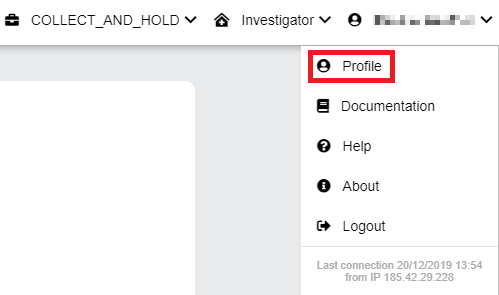
- Click on your username and select "Profile" in the drop down menu
- Enter your old password in the "Previous password" field
- Enter a new password in both "New password" and "Confirm new password" fields
- Click on "Update"
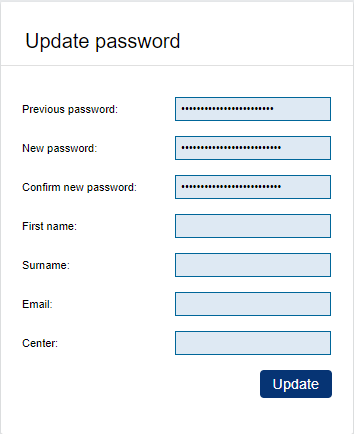
The minimal password length is 8 characters (letters & digits only). Passwords expire and must be changed every 90 days.
Your password is updated.