Please find below the notifications you can obtain when you try to upload images:
A yellow warning notification
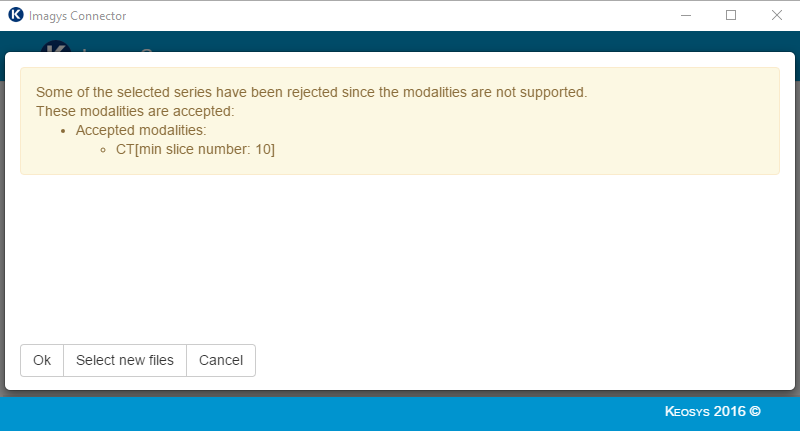
The yellow-backgrounded notification appears if part of the data you are trying to upload does not comply with study requirements.
Please find below a cause for the appearance of a yellow-backgrounded message:
- DICOM data is not compliant with the study protocol (exam modality, missing DICOM information, slice count, etc.)
Please refer to study documentation to identify why the selected data is not compliant.
The upload is not blocked when a yellow-backgrounded message appears. you can ignore this message if you agree with this notification.
A red error notification
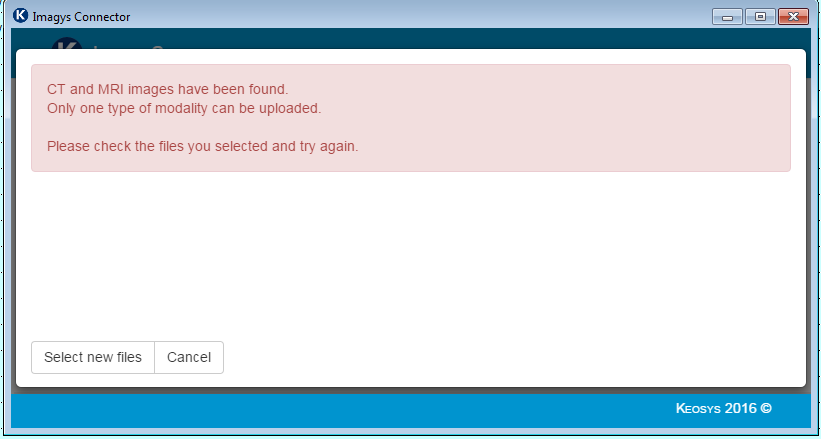
There are several causes for the appearance of a red-backgrounded message:
- DICOM data is not compliant with the study protocol (exam modality, missing DICOM information, slice count, etc.)
- The imaging data has already been uploaded on the Imagys platform
Please refer to study documentation to identify why the selected data is not compliant.
Be careful, the upload is blocked when a red error notification appears.
If you cannot pinpoint the reason as to why the message appears, please contact Keosys Technical Support team: How to contact us?